
Step-by-Step Guide
How to Activate Your
Game Key on Steam
Redeem your key and start playing in under 2 minutes. Follow the steps below.
Genuine Keys
A genuine digital key you can redeem directly through your own Steam account.Keys for your own Steam account
Instant Delivery
Your key is delivered to your email the moment payment clears. No manual review, no waiting.Get your key in seconds
Secure Checkout
All payments handled by Stripe. We never store your card details. PCI-DSS compliant.Payments processed by Stripe
Tax Included
The displayed Steam key prices already include tax.Prices shown are all tax included
1Step 1 of 4
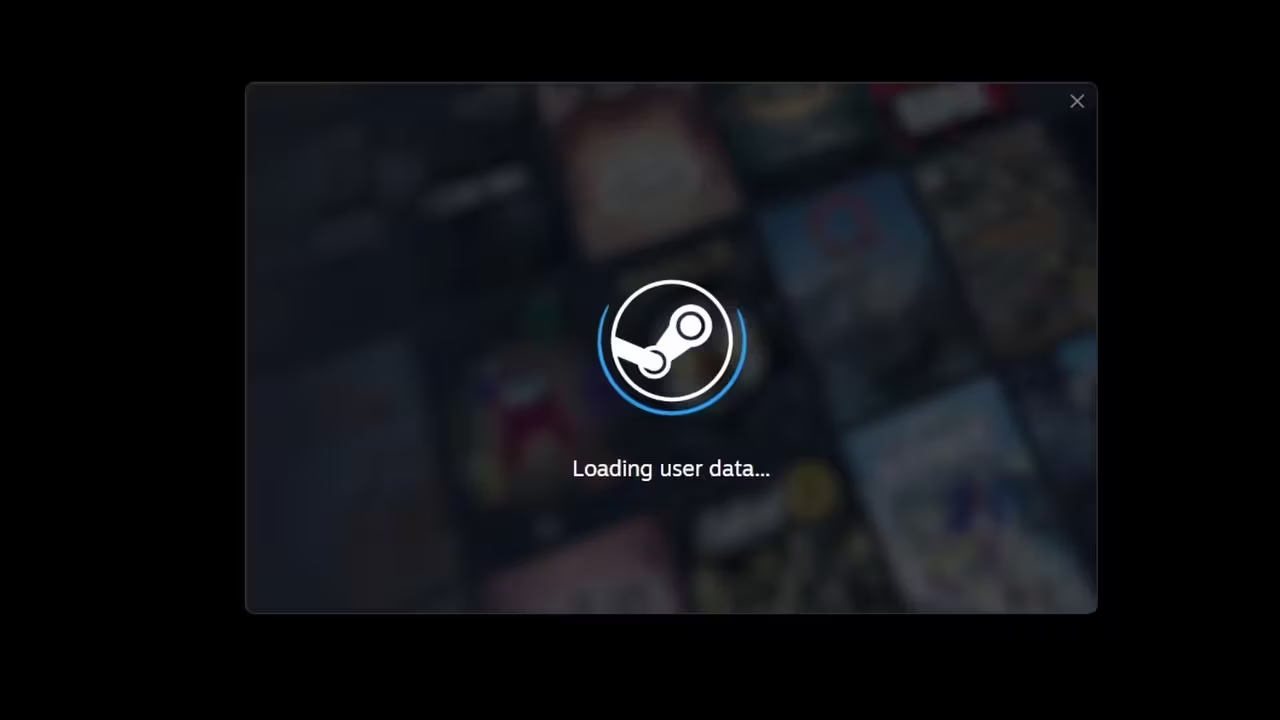
Open the Steam Client
Launch Steam on your computer and sign in to your account.
2Step 2 of 4
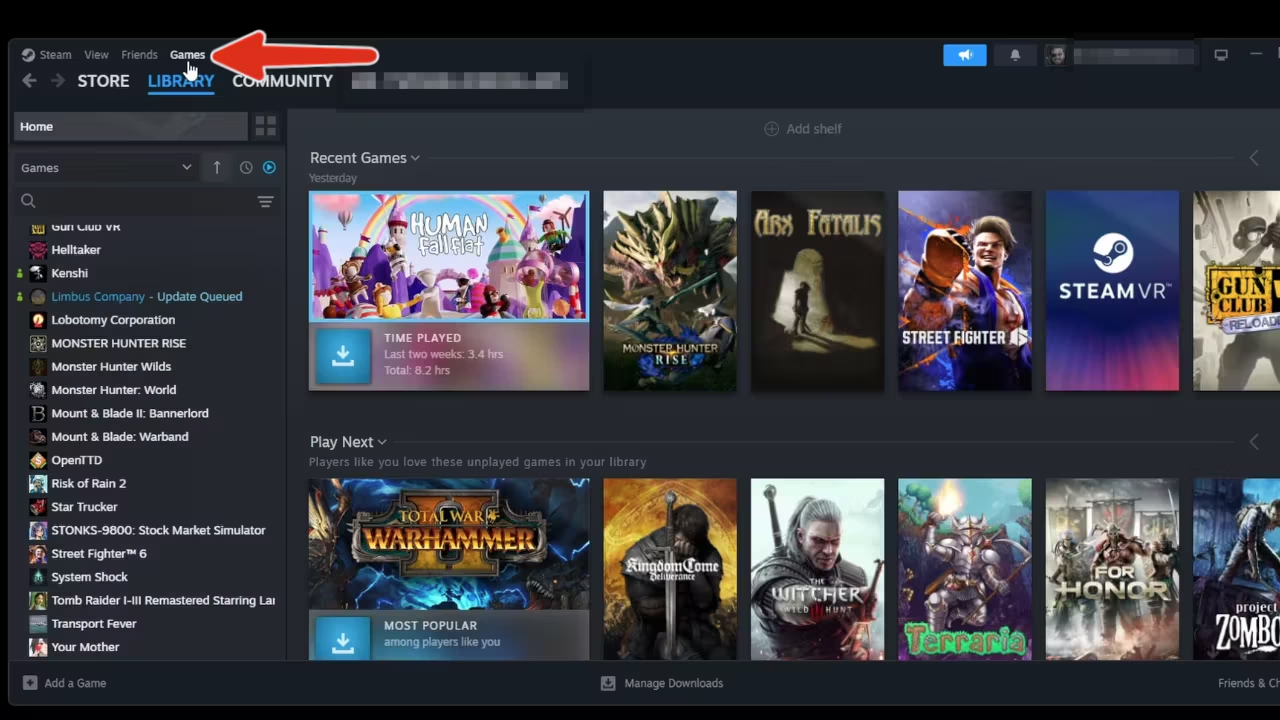
Select "Games" from the Top Left
From the top left corner of the Steam window, click the Games menu.
3Step 3 of 4
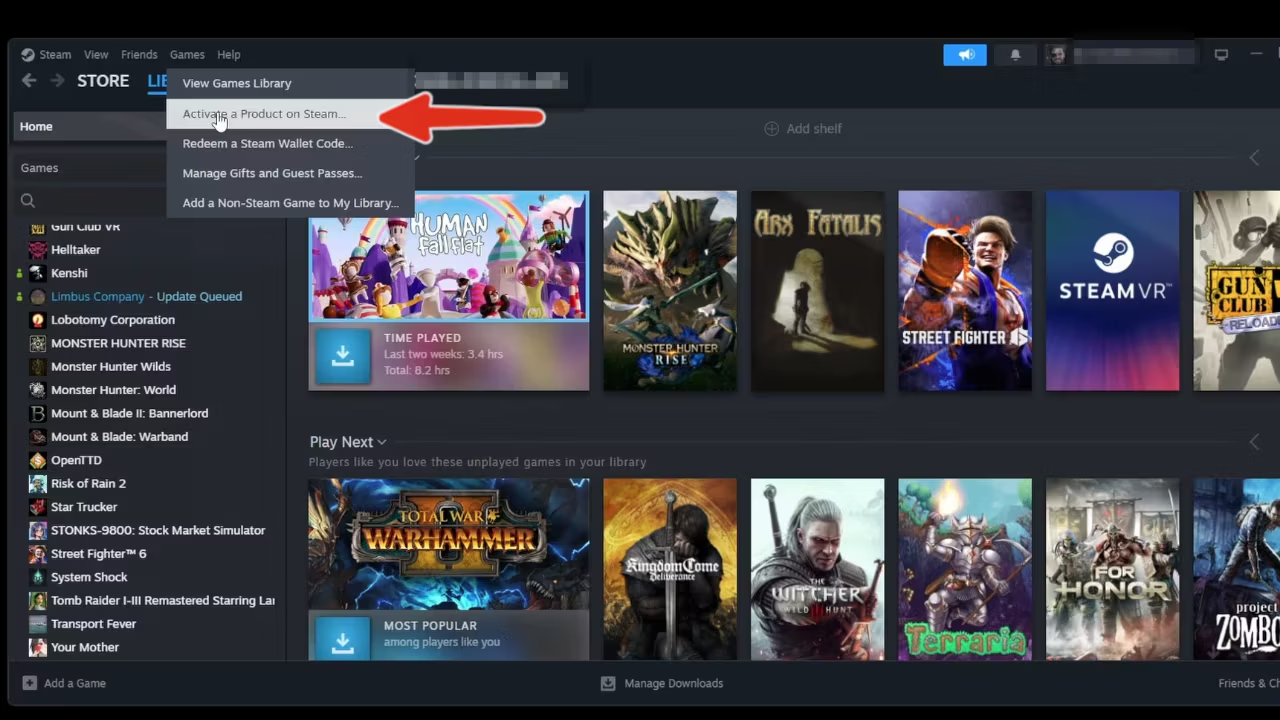
Activate a Product on Steam…
Select "Activate a Product on Steam…" from the dropdown menu.
4Step 4 of 4
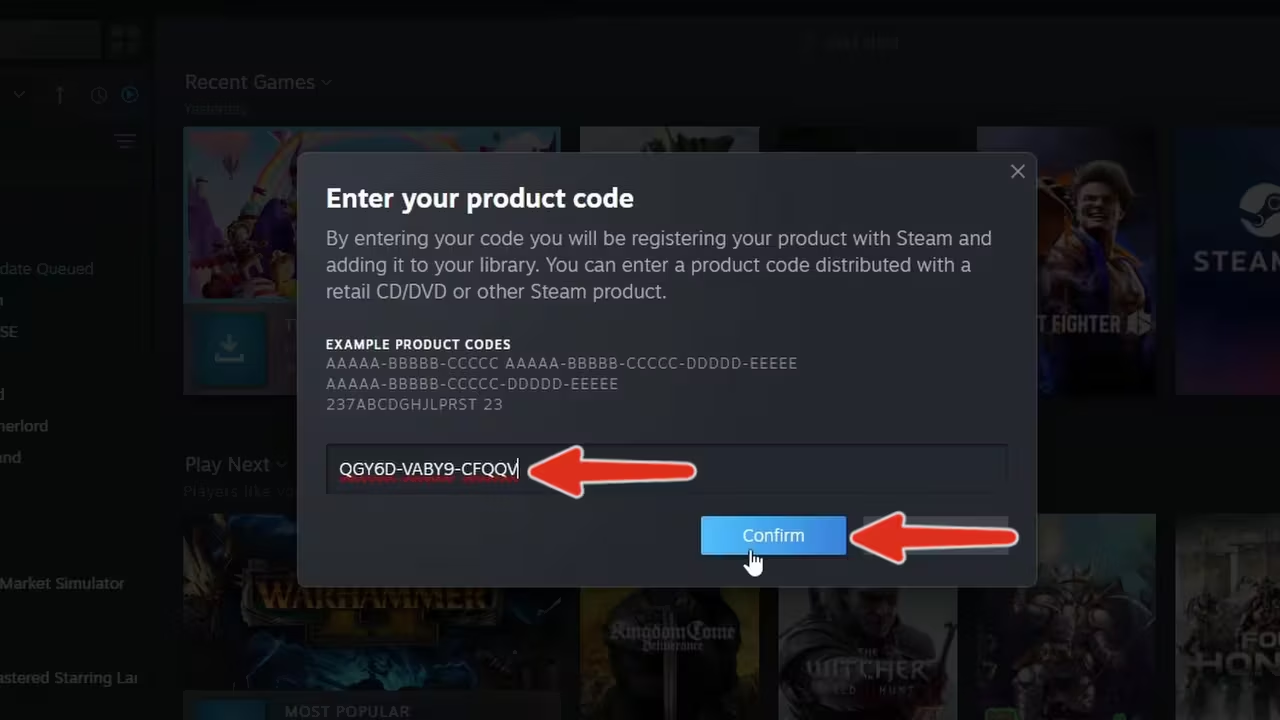
Enter Your Activation Key
Input your activation key in the field provided. Selecting "Confirm" will complete the process and add the game to your library.
Having trouble with your key?
Our support team is here to help. Submit a ticket and we'll get back to you quickly.
Contact Support